

Servers
Servers set up for you, in your own cloud account
Pick a provider, a size and a role. In 5 to 15 minutes provisioning installs and secures everything your apps need on Ubuntu 24.04, and the server stays yours: billed by your provider, running without us.
How it works
From a cloud token to an active server in four steps
- 1
Choose where it runs
Pick a connected Hetzner Cloud, DigitalOcean, Vultr, Akamai, AWS or Google Cloud account, or Custom server for any Ubuntu 24.04 or 26.04 machine you already have.
- 2
Choose its role and size
Pick a server type, a region and a size. Sizes and prices come live from your provider, and sold-out sizes are marked before you choose.
- 3
Choose the software
PHP 8.1 to 8.5, MySQL, MariaDB or PostgreSQL, and the SSH keys that may log in. Optionally put the server in a new or existing private network.
- 4
Follow provisioning live
Every step runs over SSH as a background task, with its full output. Close the page if you like: you get a message when the server is active.
One wizard for every provider
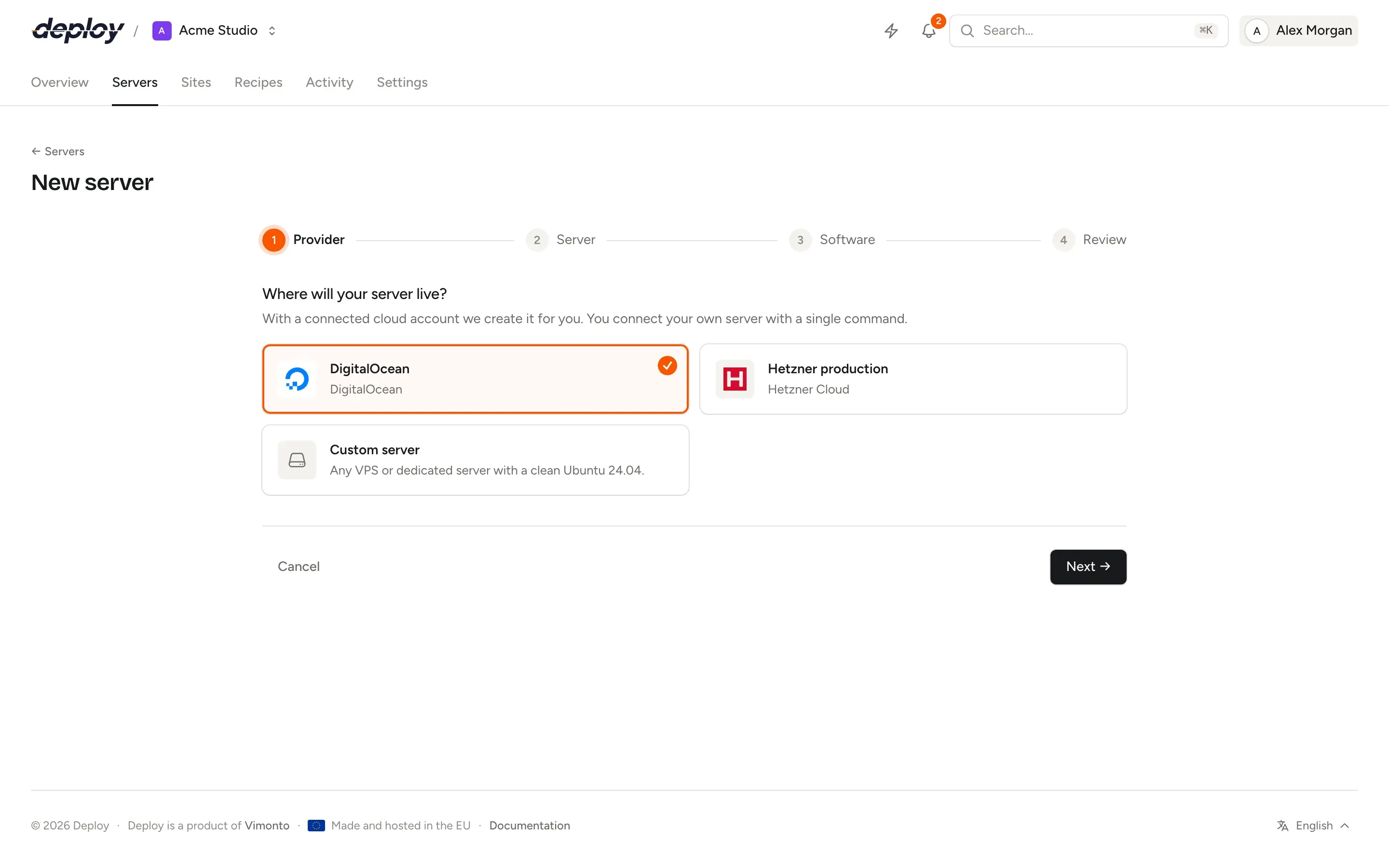
The first step lists your connected cloud accounts and the option to connect a server you already rent elsewhere. The review shows the monthly cost at your provider; Vimonto Deploy charges nothing extra per server.
Server types
One app server, or a server for every role
Start with an app server that runs everything. Split off databases, caches, workers and search as you grow, connected over a private network.
App server
Nginx, PHP with Composer, a database, Redis, Memcached, Node.js 22 and Supervisor on one machine. Right for most applications.
Web server
Nginx, PHP, Node.js and Supervisor without a database, for running several web servers behind a load balancer.
Worker server
PHP and Supervisor for queue workers. The firewall only allows SSH, so it is not reachable over HTTP.
Database server
MySQL 8.4 or 8.0, MariaDB 11.4 or 10.11, or PostgreSQL 18, 17 or 16, reachable from your private network only.
Cache and Meilisearch servers
Redis and Memcached, or Meilisearch on port 7700 with a generated master key, with their ports opened to the private network only.
Load balancer
Nginx spreading a domain over your app servers by round robin, least connections or IP hash, with backup servers.
Load balancing
What provisioning installs and secures
Provisioning is a set of bash steps that run as root, stop at the first error and are safe to run again. If a step fails, fix the cause and choose Try again: a server that already exists at the provider is not created twice, and finished steps are skipped.
Every server gets the same base, whatever its type. Then the software of its type is installed: Nginx tuned with gzip and a 64 MB request limit, PHP-FPM with OPcache and extensions such as intl, gd, imagick and redis, Node.js 22, your database set to UTC, Redis, Memcached, Meilisearch and Supervisor, as the role needs.
- A
vimontosystem user with a generated sudo password, shown once - SSH with keys only; root may log in with a key, never a password
- The
ufwfirewall denying all incoming traffic except SSH, HTTP and HTTPS - fail2ban and daily automatic security updates
- Swap of half the memory (1 to 4 GB) and kernel tuning
- A monitoring agent that reports every minute, with no open port
After provisioning
Manage the server without logging in
PHP versions
Install PHP 8.1 to 8.5 side by side, choose the command line and new-site defaults, tune memory, uploads and PHP-FPM processes, and apply patch releases.
Processes
Keep queue workers, Horizon or a Node.js app running under Supervisor, with up to 64 copies, live status, restart buttons and the last 300 log lines.
Scheduler
Cron jobs as the system user or root, every minute, nightly or on a custom expression, each in its own file in
/etc/cron.d, with Run now and a log.Services
See whether Nginx, PHP-FPM, the database, Redis and Supervisor run, restart or reload them, or reboot the whole server.
Browser terminal
A full SSH shell in the browser as the system user or root, through a single-use ticket. Sessions are logged, keystrokes never are.
Server transfers
Hand a server with its sites and databases to another organization by email. Old keys, the sudo password and deploy URLs are replaced on accept.
Every server at a glance
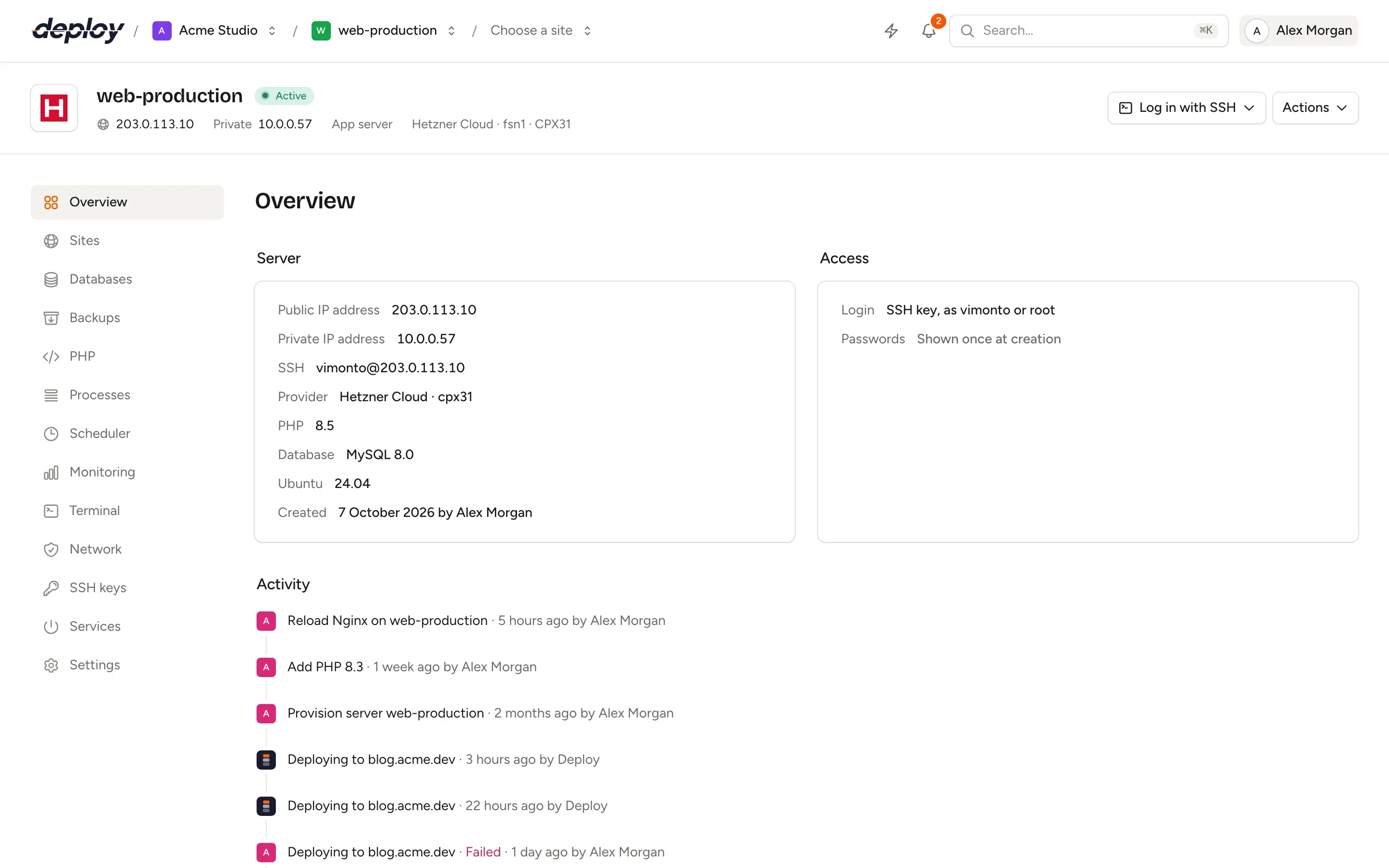
The overview shows the public and private address, the SSH login, the provider and size, the PHP and database versions and an activity timeline of everything done on the server. The sidebar only lists the pages its type needs.
Bring a server you already have
Any Ubuntu 24.04 or 26.04 VPS or dedicated server with a public IP address works, at any hosting provider. Enter its address and SSH port, run one curl command as root, and it is provisioned exactly like a server created at a cloud provider: same software, same security, same pages.
The connect script only adds the server's own public key for root and calls back. Behind NAT, the SSH port you enter and the port sshd listens on are both allowed, so Vimonto Deploy never locks itself out.
Questions about servers
Which cloud providers can create servers?
Hetzner Cloud, DigitalOcean, Vultr, Akamai (Linode), Amazon Web Services (EC2) and Google Cloud (Compute Engine). Connect an API token (an access key for AWS, a service account key for Google Cloud), or OAuth for DigitalOcean and Akamai where it is set up. Any other provider works through a custom VPS. See cloud providers.
How long does it take to set up a server?
Usually 5 to 15 minutes from Create server to an active server. Updating Ubuntu and installing the database take most of that time.
Do you charge per server?
No. Your provider bills the server to your own account at its normal price. Vimonto Deploy is one price per organization; see pricing.
What happens to my servers if I stop using Vimonto Deploy?
They keep running. They are ordinary Ubuntu machines in your own account, and your sites keep working without Vimonto Deploy.
Can I log in with my own SSH client?
Yes. Add your public key to your account or to the organization and log in as vimonto or root. Password logins are turned off.
Does Vimonto Deploy change my server after provisioning?
Only when you or a deploy make a change, plus Ubuntu's automatic security updates and two default scheduled jobs: updating Composer nightly and cleaning up unused packages weekly.
Related pages
- DeploymentsZero-downtime releases, push to deploy, deploy URLs for CI and one-click rollbacks.
- MonitoringServer metrics every minute, uptime checks, alerts by email and heartbeats for scheduled jobs.
- Cloud providersCreate servers at Hetzner, DigitalOcean, Vultr, Akamai, AWS or Google Cloud, or connect any Ubuntu VPS.
Your next deploy could be live before your coffee is.
Create an organization, connect a server and push. That is all.