

WordPress hosting
WordPress on a server you control
Pick the WordPress preset and Vimonto Deploy downloads the latest release, creates its database and writes wp-config.php. Your site runs on Nginx and PHP-FPM on your own server, with free HTTPS, and real cron, a Redis object cache and hardening are one switch each.
From empty server to WordPress in three steps
- 1
Create a server
At Hetzner Cloud, DigitalOcean, Vultr, Akamai, AWS or Google Cloud, or on any Ubuntu 24.04 VPS. An app server comes with Nginx, PHP 8.1 to 8.5, MySQL or MariaDB, Redis and Supervisor.
- 2
Create a WordPress site
No repository needed. Vimonto Deploy downloads the latest WordPress, creates a database and user, and writes
wp-config.phpwith fresh security keys and salts. - 3
Finish the installer
Open the free
on-deploy.linkaddress or your own domain and run the WordPress installer in the browser. HTTPS with Let's Encrypt is set up for you.

Made by the same team
Need advanced WordPress management? Try WPShift
Vimonto Deploy runs WordPress well next to your Laravel, PHP and JavaScript apps. If WordPress is what you mainly host and you want tools made only for it, we recommend WPShift: a WordPress management platform built by the people behind Vimonto.
- Servers at your own cloud provider, or your own server
- Sites, domains, DNS and email addresses in one place
- Plugin and theme updates and
wp-configsettings - A companion plugin for one-click connection, migration and magic login
Site features
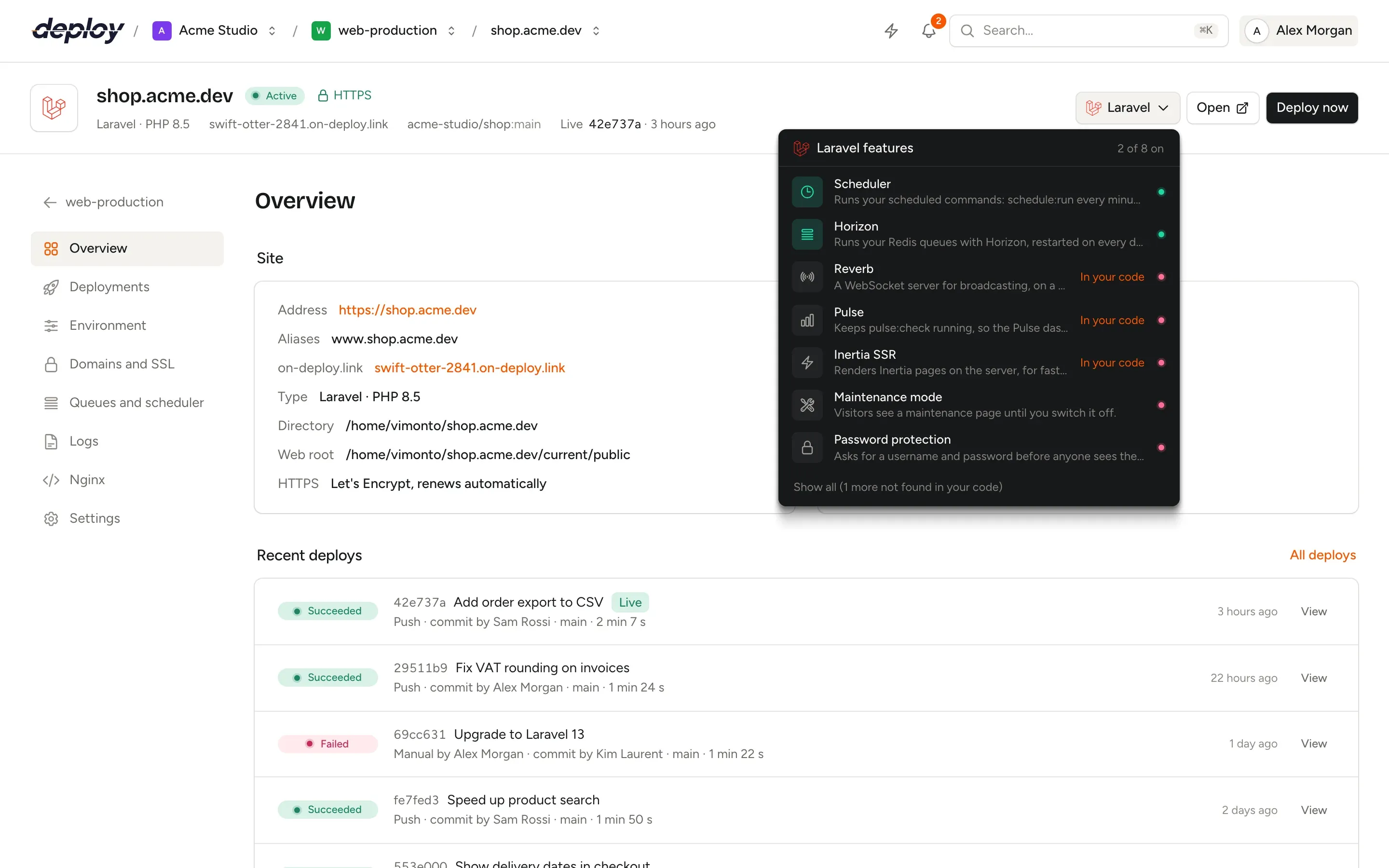
What WordPress needs on a real server, one switch each
The WordPress menu in the site header sets these up for you. They use WP-CLI, which Vimonto Deploy installs as `/usr/local/bin/wp` the first time a feature needs it.
Real cron
Sets
DISABLE_WP_CRONand runswp cron event run --due-nowevery minute from a real cron job, so scheduled posts and plugin tasks run on time, also on quiet sites.Redis object cache
Installs, activates and enables the Redis Object Cache plugin, so WordPress stops asking the database the same questions on every request.
Hardening
Nginx denies
xmlrpc.phpand refuses to run PHP inwp-content/uploads, andDISALLOW_FILE_EDITturns off the theme and plugin editor.Maintenance mode
Runs
wp maintenance-mode activatewhile you work on the site, and shows it in the site header until you switch it off again.Password protection
Puts a username and password in front of a staging site or preview. Let's Encrypt can still reach the site to renew its certificate.
Isolation per site
Give each WordPress site its own Linux user and PHP-FPM pool, so a hacked plugin on one site cannot read the files of another.
Each feature shows what it changes first
Open a feature from the site header to see exactly what it sets up on the server before you switch it on. Switching it off removes its cron jobs and Nginx rules again.
A fast, safe WordPress server without the hand work
WordPress runs on Nginx with PHP-FPM and OPcache. Raise the upload size, memory limit, execution time or max_input_vars for a large page builder form on the server's PHP page: a higher upload limit changes Nginx's request body limit too.
Schedule database backups to your own S3-compatible bucket, such as Hetzner Object Storage, DigitalOcean Spaces or Amazon S3, and restore any of them in a few clicks. Every site is checked for uptime every 15 minutes, and you get a notification when it goes down and when it is back.
- Several WordPress sites on one server, each with its own database and user
- Free Let's Encrypt certificates, renewed by themselves
- DNS records set for you at Cloudflare, Hetzner, DigitalOcean, Vultr, Akamai, AWS or Google Cloud
- A browser terminal for anything else, without setting up SSH
WordPress hosting questions
Do I need a Git repository for WordPress?
No. The WordPress preset downloads the latest release onto the server, so there is nothing to deploy. If you keep your WordPress project in Git, create the site with the PHP preset instead and connect the repository: it then deploys on every push like any other app.
How do I update WordPress, themes and plugins?
From the WordPress dashboard, as usual. The hardening feature only turns off the built-in file editor; updates keep working. Once a WordPress feature has installed WP-CLI, you can also use wp in the browser terminal.
Can I move an existing WordPress site to my own server?
Yes. Create a WordPress site, then import your database and copy wp-content over, for example from the browser terminal. Point your domain to the server once it works on the on-deploy.link address.
Does the Redis object cache work on every server?
It needs Redis on the server, which every app server has. On a server without Redis the feature says it is not available.
What does WordPress hosting cost?
The free plan covers 1 server and 3 sites with every feature. Premium is €15 per month per organization, without limits. Your server is billed by your cloud provider, at its own price.
Related pages
- Sites and domainsSites from framework presets, automatic DNS, free SSL, site features and Nginx you can edit.
- Databases and backupsMySQL, MariaDB or PostgreSQL, database users and scheduled backups to your own bucket.
- PHPPlain PHP apps with several PHP versions side by side and tunable PHP-FPM settings.
- Hetzner CloudServers in Germany, Finland, the US and Singapore, with DNS and Object Storage backups.
Your next deploy could be live before your coffee is.
Create an organization, connect a server and push. That is all.