

Symfony hosting
Symfony, deployed without downtime
Connect your repository and push. Every deploy installs Composer packages in a fresh release, clears the cache, runs your Doctrine migrations and only then switches over, while Supervisor keeps your Messenger workers running on the new code.
From repository to production in three steps
- 1
Create a server
At Hetzner Cloud, DigitalOcean, Vultr, Akamai, AWS or Google Cloud, or on any Ubuntu 24.04 VPS. Choose PHP 8.1 to 8.5 and MySQL, MariaDB or PostgreSQL; Redis, Node.js and Supervisor come with it.
- 2
Create a Symfony site
Pick the Symfony preset and your repository at GitHub, GitLab or Bitbucket. Nginx serves
/publicthrough PHP-FPM, and the site gets a freeon-deploy.linkaddress that works right away. - 3
Push
A webhook deploys every push to your branch. The new release only goes live when Composer, the cache and the migrations all succeeded.
Deploy script
The default Symfony deploy script
Plain Bash that runs with set -e in the new release, as the site's user. Migrations only run when your project has a migrations folder. Edit the script in the browser to add your own steps, such as asset-map:compile or an npm build.
Use $VIMONTO_PHP and $VIMONTO_COMPOSER instead of php and composer, so the script follows the site's PHP version when you change it. $VIMONTO_BRANCH and $VIMONTO_COMMIT tell you what is being deployed.
$VIMONTO_COMPOSER install --no-dev --no-interaction --prefer-dist --optimize-autoloader

$VIMONTO_PHP bin/console cache:clear --env=prod
if [ -d migrations ]; then
    $VIMONTO_PHP bin/console doctrine:migrations:migrate --no-interaction --allow-no-migration --env=prod
fi
Built for how Symfony runs in production
Messenger workers
Switch on Messenger workers and choose your transports, such as
async scheduler_default, and 1 to 20 processes. Supervisor runsmessenger:consume, and every deploy sendsmessenger:stop-workers.Rollbacks in seconds
The newest five releases stay on the server. Roll back makes an earlier one live again without building anything.
A shared .env
Write the production
.envon the Environment page. It is stored encrypted, linked into every release and kept with a history of the last 50 versions.Private packages
Credentials for private Composer and npm registries are stored encrypted and only used during the build, through
COMPOSER_AUTHand a temporary npm config.
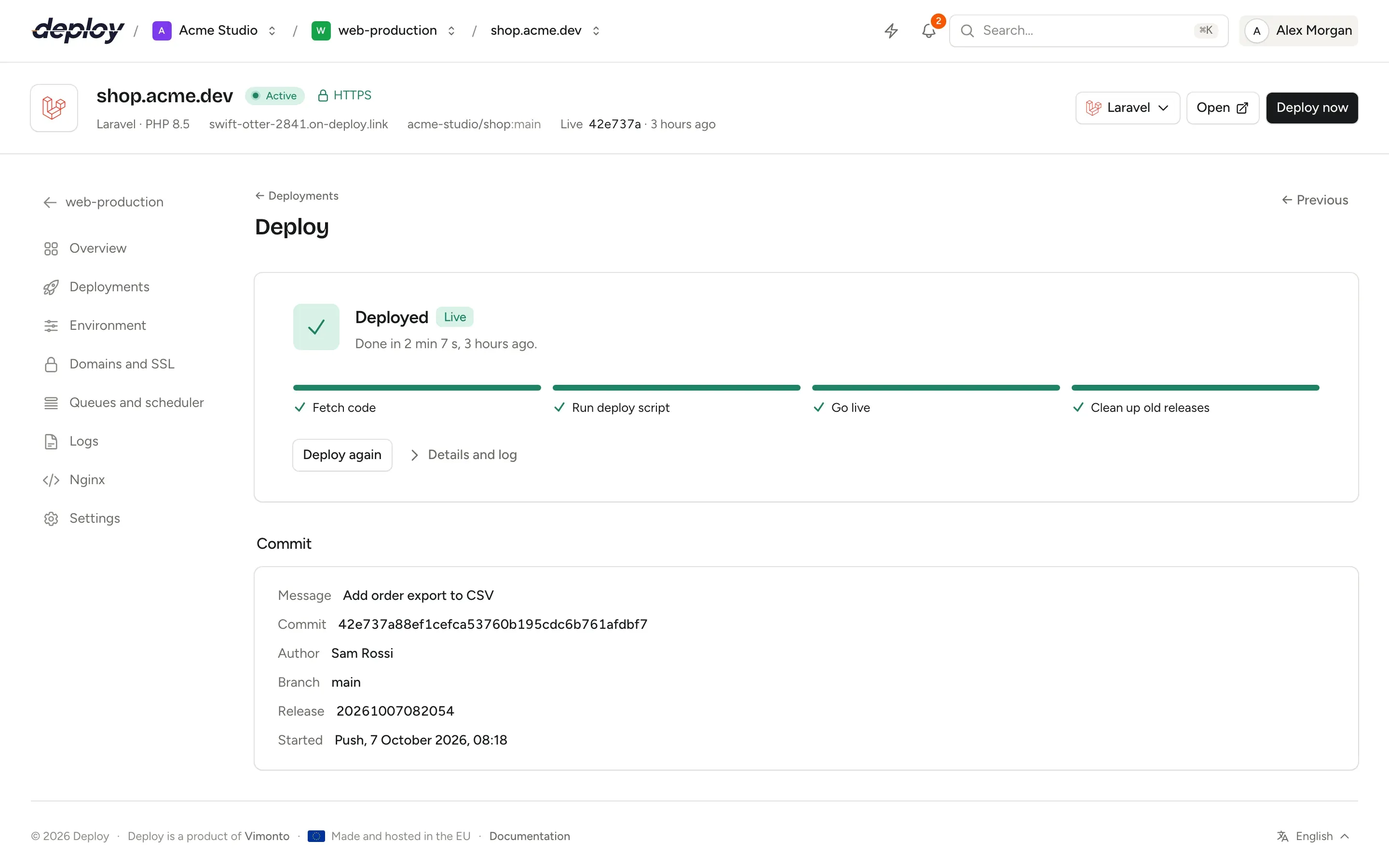
Every deploy, step by step
Follow the phases Fetch, Build and Live while a deploy runs, with the output of each step. If a step fails, the release is thrown away and the live site does not change.
Symfony hosting questions
Where do I set APP_ENV, APP_SECRET and DATABASE_URL?
On the site's Environment page. The .env you save there is written to the server, linked into every release in place of the .env in your repository, and survives deploys and rollbacks. Set APP_ENV=prod, so Composer's scripts run with your production bundles.
Which PHP versions can I use?
PHP 8.1 to 8.5. Install several versions side by side on one server and choose one per site; the deploy script follows it through $VIMONTO_PHP.
Can I run the Symfony Scheduler?
Yes. Add its transport to the Messenger workers, for example async scheduler_default. For a plain cron command, add a scheduled job on the server instead.
Does it work with API Platform or a monorepo?
Yes. Any Symfony app with a public/index.php works. In a monorepo, set the site's Root directory to the folder of the app, such as /api.
What does it cost?
The free plan covers 1 server and 3 sites with every feature. Premium is €15 per month per organization, without limits. Your servers are billed by your cloud provider.
Related pages
- DeploymentsZero-downtime releases, push to deploy, deploy URLs for CI and one-click rollbacks.
- PHPPlain PHP apps with several PHP versions side by side and tunable PHP-FPM settings.
- LaravelZero-downtime Laravel deploys, with Horizon, Reverb, Pulse, queues and the scheduler a switch away.
- Hetzner CloudServers in Germany, Finland, the US and Singapore, with DNS and Object Storage backups.
Your next deploy could be live before your coffee is.
Create an organization, connect a server and push. That is all.