

PHP hosting
PHP apps on servers you control
Host any PHP app, framework or not, on Nginx and PHP-FPM in your own cloud account. Run PHP 8.1 to 8.5 side by side, tune PHP-FPM from the browser and deploy from Git without downtime.
From repository to production in three steps
- 1
Create a server
At Hetzner Cloud, DigitalOcean, Vultr, Akamai, AWS or Google Cloud, or on any Ubuntu 24.04 VPS, with the PHP version and database you choose. Composer is installed with PHP.
- 2
Create a PHP site
Pick the PHP preset for an app with
public/index.php, or Other to serve the repository's root. Choose the PHP version per site. - 3
Push
Every push clones a new release, runs
composer installand your own steps, then switchescurrentatomically and reloads PHP-FPM.
PHP the way you want it
Several PHP versions
PHP 8.5, 8.4, 8.3, 8.2 and 8.1 from the ondrej/php repository, each with its own PHP-FPM service. Move a site to another version in its settings.
PHP-FPM settings in the browser
Memory limit, upload size, execution time,
max_input_vars, PHP-FPM processes and OPcache, per version. A larger upload limit raises Nginx's limit too.Common extensions included
Every version comes with bcmath, curl, gd, igbinary, imagick, intl, mbstring, memcached, mysql, pgsql, redis, soap, sqlite3, xml, zip and more.
Isolation per site
An isolated site runs as its own Linux user with its own PHP-FPM pool, so sites of different clients cannot read each other's files.
Your own Nginx
Each site has a generated Nginx configuration, checked with
nginx -tbefore every reload. Add redirects and security rules, or take over the file.phpMyAdmin and static sites
Install phpMyAdmin with one click, next to your apps, or serve plain HTML and built frontends with the HTML preset.
Deploy script
Start from one line, add what your app needs
A PHP site's deploy script installs your Composer packages. Turn Install Composer packages off for a project without composer.json, and the code goes live as it is. Add migrations, cache warmers or a frontend build in the browser.
$VIMONTO_PHP and $VIMONTO_COMPOSER always use the site's PHP version, and $VIMONTO_RELEASE_PATH and $VIMONTO_SITE_PATH point at the new release and the site's directory.
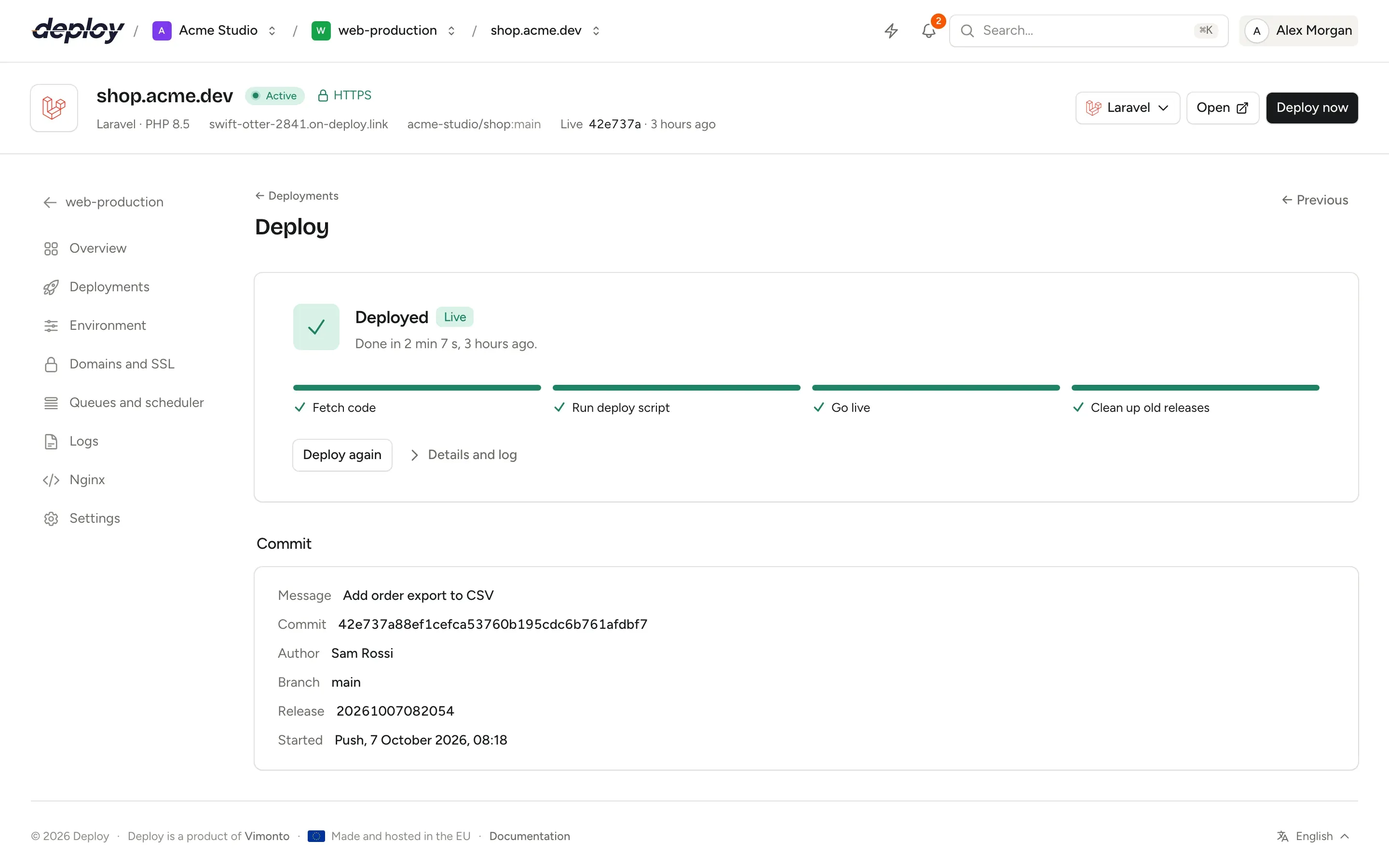
$VIMONTO_COMPOSER install --no-dev --no-interaction --prefer-dist --optimize-autoloaderEvery deploy, step by step
PHP hosting questions
Can different sites on one server use different PHP versions?
Yes. Install every version you need on the server's PHP page, then choose one per site when you create it or later in its settings.
How do I increase the PHP upload limit?
Open the server's PHP page, click Settings next to the version, raise Maximum upload (MB) and click Apply. PHP's upload and post limits and Nginx's request body limit change together.
My app has no public folder. Does that work?
Yes. Change the Web directory under Advanced settings when you create the site, or use the Other preset, which serves the root of the repository.
Can I host a CMS such as Drupal, Craft CMS or Magento?
Any PHP app that runs on PHP-FPM behind Nginx works with the PHP preset. Add the steps it needs to the deploy script, and use the site's Nginx page for app-specific rules.
What does it cost?
The free plan covers 1 server and 3 sites with every feature. Premium is €15 per month per organization, without limits. Your servers are billed by your cloud provider.
Related pages
- ServersProvisioning for every role: app, web, worker, database, cache, search and load balancer servers.
- SymfonySymfony deploys with Doctrine migrations and Messenger workers under Supervisor.
- WordPressWordPress on your own server, with real cron, Redis object cache and hardening.
- Hetzner CloudServers in Germany, Finland, the US and Singapore, with DNS and Object Storage backups.
Your next deploy could be live before your coffee is.
Create an organization, connect a server and push. That is all.